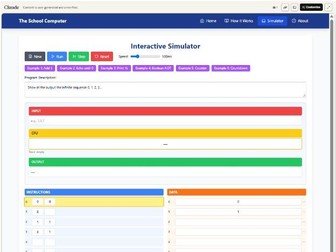
The School Computer transformed into an interactive web-based simulator created with Claude AI:
https://claude.ai/public/artifacts/371f5716-6611-4e8e-b80c-48b6f48d777d
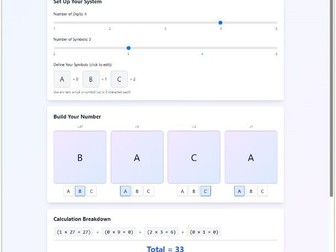
An interactive tool for exploring place value systems with custom symbols. Students can create their own number systems (2-5 symbols, 1-5 digits) and see how different symbols in different positions represent numbers. Perfect for understanding binary, decimal, and other base systems in a visual, hands-on way.
https://claude.ai/public/artifacts/40007db0-e652-4a16-bb48-f948bc2d8bc3
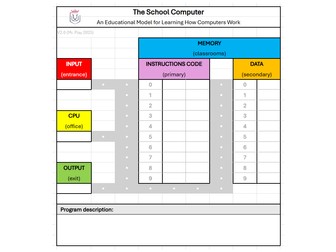
The School Computer is a simplified educational model created by Mr. Piay to help students understand the fundamentals of how computers work. It is similar to The Computing Elevator (another interactive tool designed to teach computer architecture and low-level programming), but is more intentionally designed for KS3 students. The School Computer offers a more accessible, classroom-themed metaphor. It breaks down core computing concepts like instruction execution, memory access, input/output processing and basic arithmetic operations in a format that’s more approachable for younger learners.
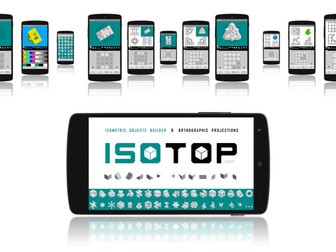
ISOTOP is a unique and free Android app intended for the education community and aimed at helping both students and teachers develop and challenge isometric drawing skills.
The app allows creating countless isometric objects using 13 different cube and wedge-shaped blocks showing orthographic projections (top, front and side view) with outlines of coplanar faces and hidden lines.
Isometric objects are saved in SVG (scalable vector graphics) format to allow further editing and utilization outside the app.
The app includes 35 built-in editable objects to provide the user with a valuable learning resource and to promote creativity.
Link to the apk:
https://mrpiay.itch.io/isotop-isometric-drawing
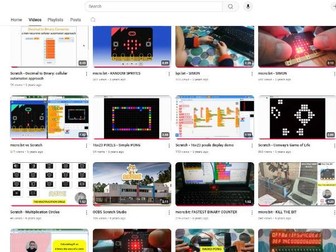
This free resource is a curated collection of over 100 creative coding projects created using Scratch, Micro:bit, Arduino, MicroStudio and more.
From interactive games and animations to physical computing projects and simulations, these resources are designed to make computing and STEAM education more engaging and hands-on.
Teachers are encouraged to explore, adapt and share these projects in their classrooms. Whether you’re looking for inspiration or ready-to-use ideas, there’s something here for every level.
Explore the full collection on YouTube: youtube.com/@MrPiay/videos
If you’re interested in a specific project or would like to discuss educational initiatives, please feel free to get in touch.
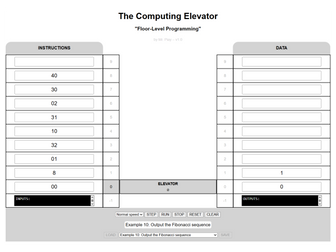
The Computing Elevator is a web-based educational tool designed by Mr. Piay to teach computer architecture and low-level programming. The tool uses a visual analogy of twin towers (memory) connected by an elevator (CPU) to illustrate concepts like the fetch-decode-execute cycle and a simplified machine code instruction set. Users can write and execute programs by inputting instructions and data on virtual floors and they can also save and load their creations. The simulator includes pre-built examples demonstrating various programming principles and offers an engaging interactive learning experience.
 Quick View

 Quick View
 Quick View
 Quick View
 Quick View
 Quick View